
Five automations a service business feels in the same week

Share:
When I talk about automation with a cleaning company, a clinic, or a technician, the picture that comes up is a long project. What changes the week is almost always smaller: an alert, a sheet that fills itself in, a reminder that goes out without anyone remembering.
These five are the ones I ask people to look at first.
1. A reply at the moment the request arrives
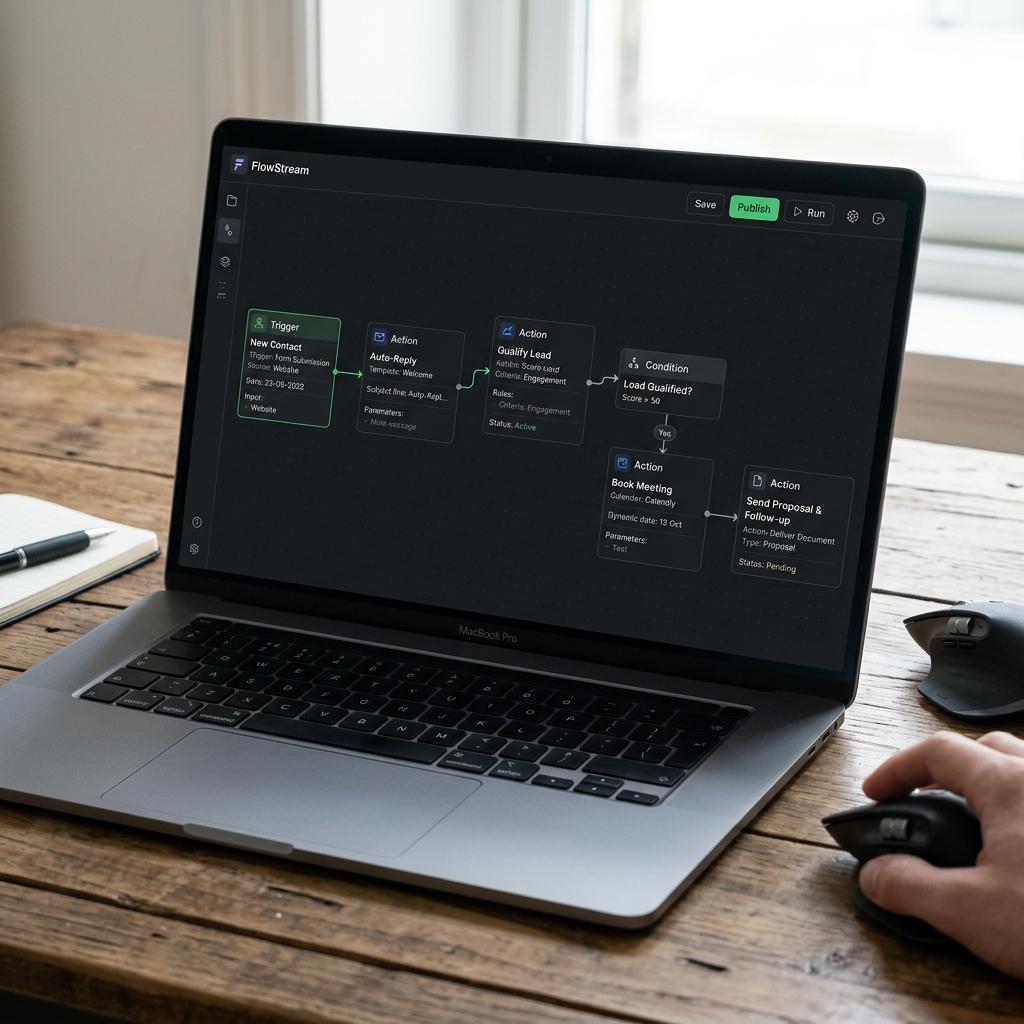
The form was filled in at 7pm. If the reply only goes out the next morning, some of those people have already spoken to someone else. An automatic reply does not book the job. It says the request arrived, when someone reads the inbox, and it stores the contact. The team gets the alert with the source: site, Instagram, or phone.
2. Sort the request on the way in
A single "contact us" form mixes emergencies with people who are just looking. If the first questions are the type of job, the area, and whether it is for this week, the person who quotes opens the day with a queue they can read.
3. Booking with a reminder
Swapping messages to find an hour is admin dressed up as customer service. With real open slots visible, the customer picks one, gets a confirmation, and gets a reminder. No-shows do not vanish. The ones that were only forgetfulness get fewer.
4. A quote from details you already have
If the price of a regular clean and the price of a post-build clean are already set, the document does not need to be rewritten. The name, the address, and the package go into a template. The person who talks to the customer checks the number and sends it.
5. Follow-up on the day you agreed
A lot of quotes get no reply and nobody writes again. A note to the team three days later, or a short message to the customer, picks up conversations that had only stalled. The same pattern works for asking how the job went two weeks later.
When it is still too early
If the team cannot explain the process — each person does it a different way — automation copies the mess faster. First write the path on a sheet: who receives it, what they ask, when they reply. The automation follows that drawing.
In the studio I start with one process, in the Practical Automations package. The others stay on the list for the month when the first one is in use without calls asking where the request went.
Share: